Blog / Service and Maintenance

Blog

All Service and Maintenance Silverado Trucks Used and Trade-Ins Suburban and SUVs
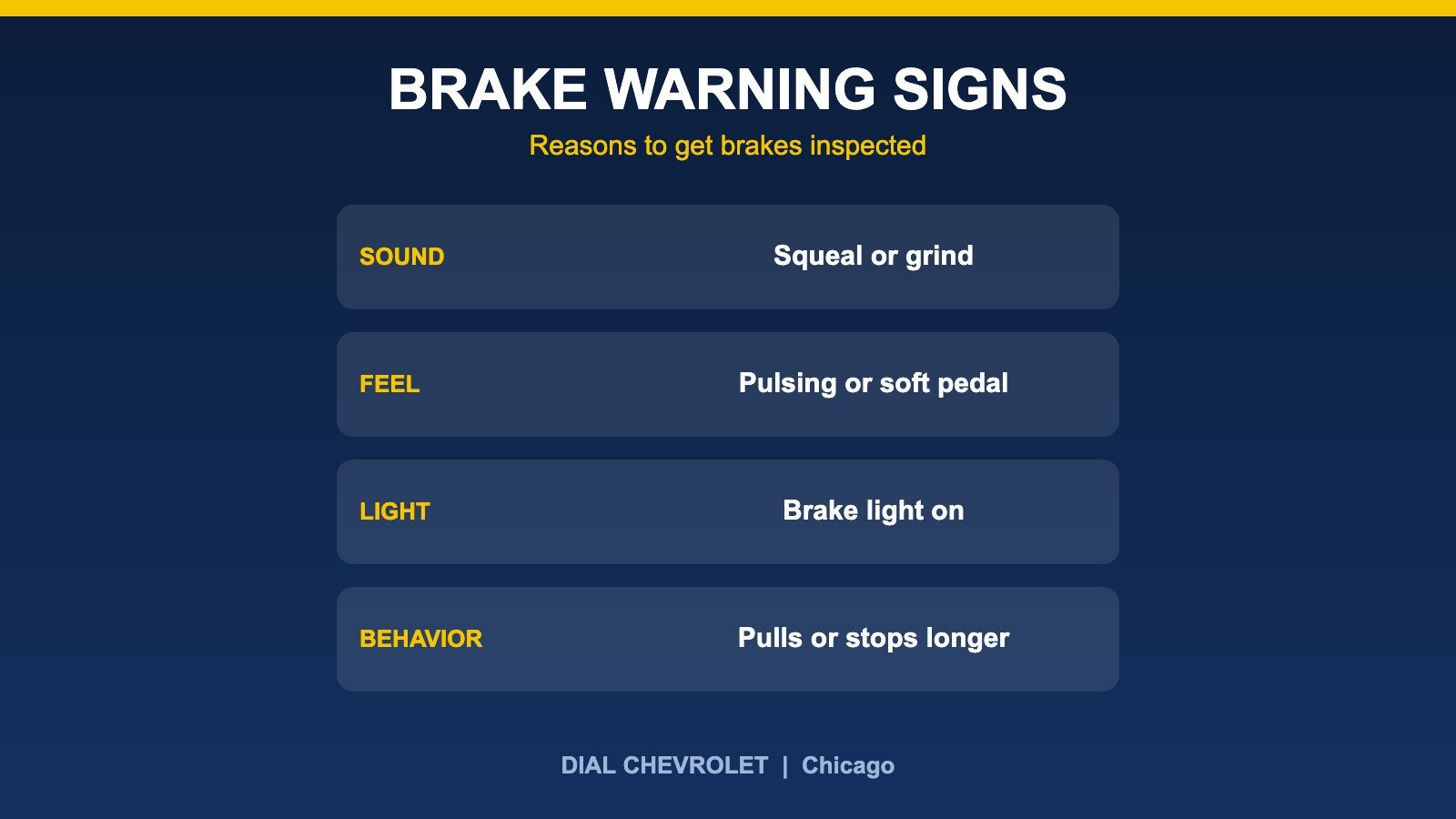
Brake warning signs graphic: sound, feel, light and behavior

Chevy Brake Service: Warning Signs and What Inspection Covers

Short answer: Brakes usually give warnings before they fail. Squealing or grinding, a pulsing or soft pedal, a brake warning light, or a vehicle that pulls to one side or takes longer to stop are all reasons to have the system inspected soon. This guide explains what those signs generally mean and what a brake inspection looks at. It is general education, not a diagnosis, and it does not list prices or offers. Warning signs to take seriously Squealing or high-pitched noise: AAA explains that many brake pads have a built-in wear indicator that makes noise when the pad is worn thin, which is a signal to get the brakes checked. Grinding: A loud grinding or scraping sound can mean the pad material is gone and metal is touching the rotor. O’Reilly Auto Parts notes that once brakes are grinding, the rotor often can no longer be resurfaced, so waiting can turn a pad job into a bigger repair. Pulsing or vibration: A pulsing pedal or a shaking steering wheel when you brake is commonly linked to uneven rotors, according to Nissan’s brake service guidance. If a vibration happens even when you are not braking, Auto123 says another problem is more likely, such as tires or front-end parts. Soft or spongy pedal: O’Reilly notes that air in the lines can make the pedal feel spongy and that the system may then need to be bled. Treat a pedal that sinks or feels different as urgent. Pulling or longer stops: A vehicle that pulls to one side when braking, or takes longer to stop than usual, should be inspected promptly. Warning lights: Cars.com advises that a red brake warning light that comes on when you press the pedal is a reason to head straight to a repair shop. Our dashboard warning lights guide explains how to read the colors. Fluid leaks or a burning smell: Nationwide lists leaking fluid and a burning smell while driving among the reasons to have the brakes checked. If the pedal goes to the floor, the vehicle will not slow down, or you smell something burning after hard braking, pull over when it is safe and call for help rather than continuing to drive. What a brake inspection looks at Cars.com suggests asking a shop to inspect the whole brake system rather than guessing at one part. That generally means: The brake pads, including how much friction material is left and whether they are wearing evenly. The rotors, or rear drums on some vehicles, for grooves, hot spots and other damage. The calipers and hardware, since a stuck caliper can cause uneven wear and drag. The brake fluid level and condition, and the lines and hoses for leaks. How long brake pads last There is no single number. O’Reilly says many pads last 40,000 miles or more and some ceramic formulations may last up to 75,000 miles, but it stresses that regular inspection matters because not every vehicle has a wear indicator. City stop-and-go driving, heavy loads and towing generally wear brakes faster than steady highway driving, which is worth remembering if you use a truck or SUV for work. Our towing fundamentals guide covers how trailer weight affects stopping. Brake fluid Autoblog explains that DOT 3, DOT 4 and DOT 5.1 brake fluids absorb moisture from the air over time, which lowers their boiling point. Use only the fluid type your manufacturer specifies and follow the replacement schedule for your vehicle. Intervals vary widely between manufacturers, so check the owner’s manual or ask a service advisor rather than assuming a number. Our Chevrolet maintenance schedule guide covers the general service basics. When to schedule Any warning sign above, even if it comes and goes. Before a long trip or before towing a heavy load. At routine service visits, when a technician can look at pad thickness and rotor condition. Pairing a brake check with an oil change visit is a simple habit. Schedule a brake check at Dial Chevrolet Schedule service View current service specials Order parts Browse used inventory Contact Dial Chevrolet Sources AAA: Brake check and service tips O’Reilly Auto Parts: When to change brakes Cars.com: How can I tell if I need new brakes? Autoblog: Brake fluid 101 Nationwide: Why are my brakes making noise? Auto123: Brake system maintenance Nissan USA: Signs your brakes need service Published by Dial Chevrolet, 6603 S Western Ave, Chicago, IL. General education only; not a diagnosis. Brake systems vary by model and year, so follow your owner’s manual and a qualified technician’s inspection. This guide does not list prices or offers.
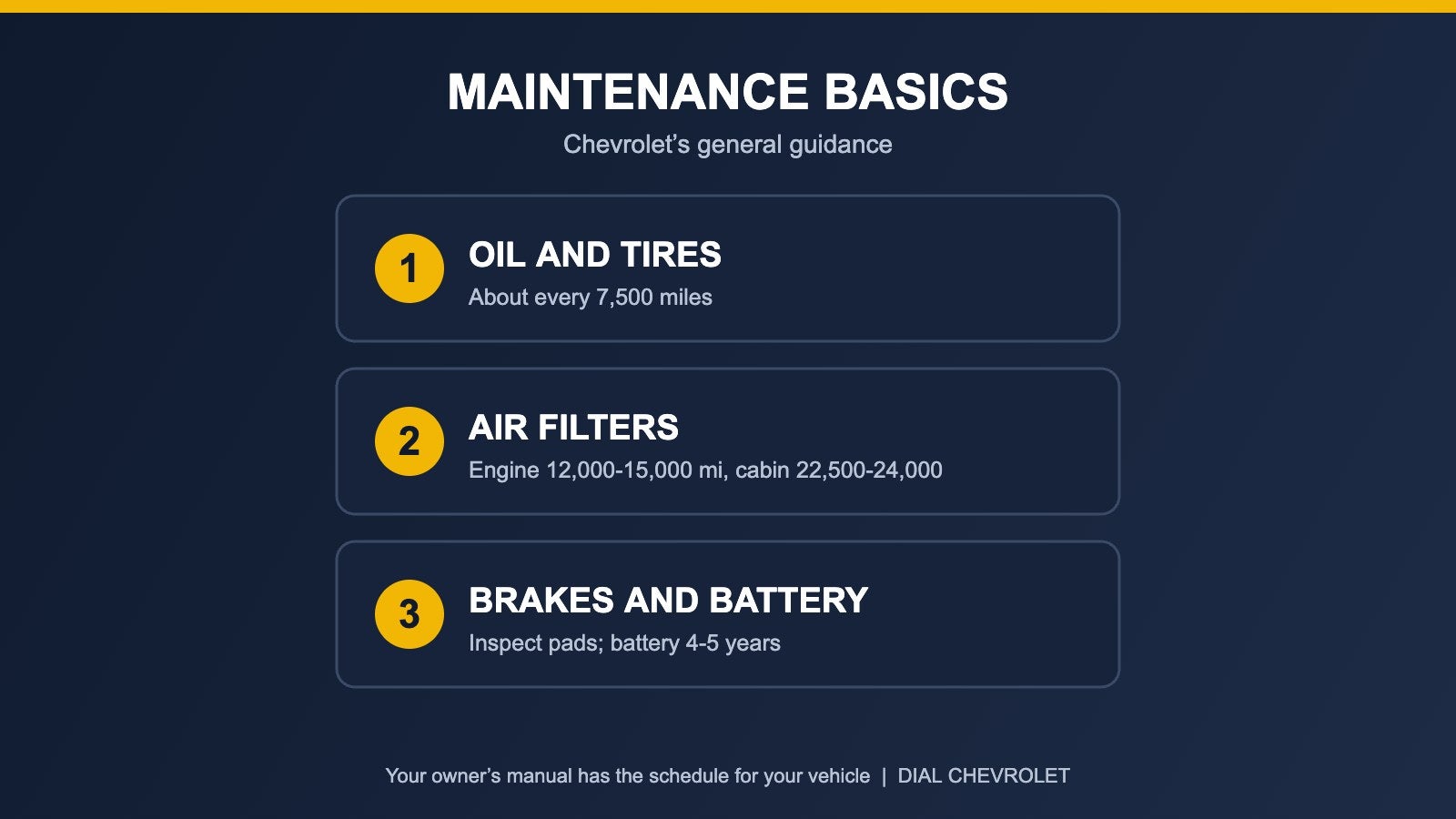
Chevrolet maintenance basics graphic: oil and tires, air filters, brakes and battery

Chevrolet Maintenance Schedule: What Needs Doing and When

Short answer: Chevrolet’s general guidance is to change the oil and filter about every 7,500 miles or when the Oil Life System says so, rotate the tires about every 7,500 miles, and move on to air filters, brakes, tires and the battery as the miles add up. That is a general outline, not a schedule for your exact truck or SUV. The maintenance section of your owner’s manual (or the myChevrolet app) is the one to follow for your vehicle. How to use a maintenance schedule Maintenance is based mostly on mileage, plus time and driving conditions. Chevrolet’s own pages describe the service items in general terms and send owners to the owner’s manual for the details of a specific model and model year. Treat the list below as a map of what to ask about, then confirm the intervals for your vehicle. The routine items Oil and filter: Chevrolet’s service page lists about every 7,500 miles, or as your Oil Life System indicates. Read our explainer on how often to change oil and what the oil life monitor means before you decide to stretch an interval. Tire rotation: About every 7,500 miles to even out wear, which pairs well with an oil change visit. Multi-point inspection: A technician checks key systems during service visits, which is a good chance to catch wear early. Wiper blades: No mileage given. Have them looked at each season, and replace them if they are damaged or no longer clear the windshield well. Items that come due as the miles add up Engine air filter: Chevrolet says replacement is likely somewhere around 12,000 to 15,000 miles, and that replacing it with every other oil change is a good idea. Cabin air filter: It should be inspected and probably replaced after about two years, or around 22,500 to 24,000 miles. Brakes: Pads and rotors should be inspected for wear. If you hear squeaking or squealing when you brake, have the brakes inspected right away. Chevrolet points to a first major brake service between 40,000 and 60,000 miles that includes pad and rotor replacement, though how fast brakes wear depends on how and where you drive. Tires: Tire life varies a great deal. Chevrolet notes that replacement often comes somewhere after 30,000 miles, and that tires at 1/16 inch of tread or less need to be replaced. Battery (gas and diesel vehicles): A battery is good for about four or five years, or roughly 60,000 miles of service, after which replacement is likely. Cold weather is hard on batteries, so our Chicago winter prep checklist covers a pre-winter check. What can change your schedule Model and model year: A Silverado, a Suburban and an electric Chevrolet do not share the same list. Electric vehicles skip items like oil changes, and Chevrolet marks some items as applying to gas and diesel vehicles only. Towing and heavy loads: If you pull a trailer or haul regularly, ask your service team how that changes brake, tire and fluid checks. Our Silverado towing fundamentals guide covers the setup side. Dashboard messages: An oil life reminder or a warning light is a prompt to act. See what the warning light colors mean if a symbol appears. Warranty: Keep your service records. Warranty terms are covered in your owner’s manual and on Chevrolet’s warranty pages. A simple way to stay on track Look up the maintenance section in your owner’s manual or the myChevrolet app for your exact vehicle. Write down your current mileage and the date of your last oil change and tire rotation. Book oil and rotation together so the multi-point inspection happens at each visit. Check tire pressure monthly and before long trips. Keep every receipt in one place for your records and for resale. Schedule service at Dial Chevrolet If you are not sure what your vehicle is due for, our service team can go through it with you. Schedule service See the service and parts page Order parts Value your trade-in Browse used inventory Contact Dial Chevrolet Sources Chevrolet: Maintenance Chevrolet Support: About vehicle maintenance schedules Kelley Blue Book: Chevrolet maintenance schedules Your Chevrolet owner’s manual for the model year you drive. Published by Dial Chevrolet, 6603 S Western Ave, Chicago, IL. General education only. Intervals shown are general Chevrolet guidance and vary by model, model year and use; confirm yours in your owner’s manual. This guide does not list prices or offers.
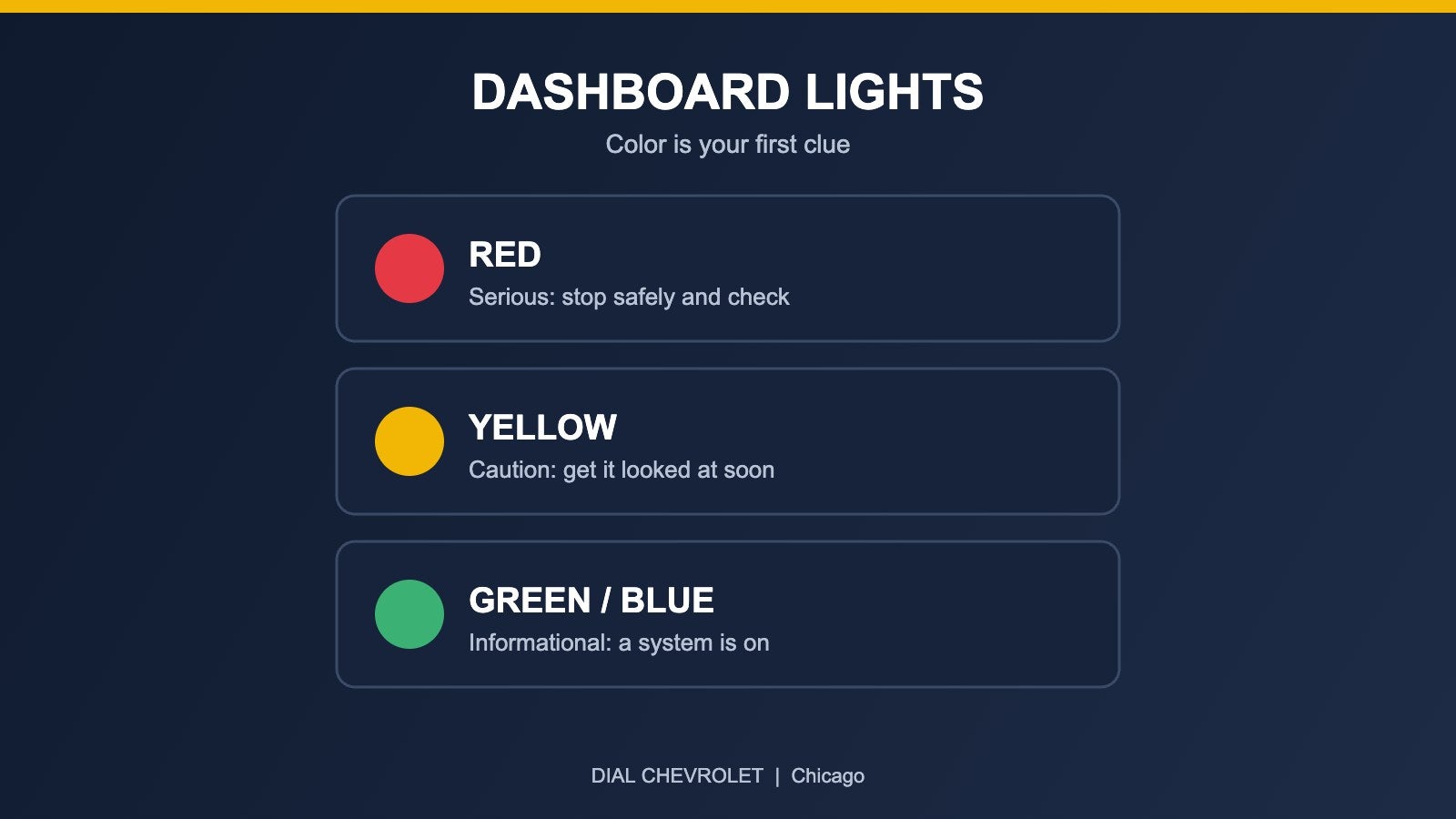
Dashboard warning light colors: red means stop safely, yellow means get it checked soon, green or blue means a system is on

Chevy Dashboard Warning Lights: What the Colors Mean and What to Do

Short answer: Dashboard warning lights are color coded, and the color is your first clue. Red generally means a serious problem that needs attention right away, yellow or amber means something should be checked soon, and green or blue usually just shows that a system is on. Which symbol is lit, and whether it is steady or flashing, matters more than the color alone, so your Chevrolet owner’s manual is the final word for your exact vehicle. First, not every light is a problem Most warning lights come on for a moment when you start the vehicle. That is a normal self-check showing that the bulbs and systems are working. Cause for concern begins when a light stays on, comes on while you are driving, or flashes. Red lights: stop safely and check A red light means treat it as urgent. Find a safe place to stop rather than pushing on to the next exit if the vehicle is behaving differently. Oil pressure: The oil can symbol means oil pressure may be too low. AAA advises stopping as soon as it is safe and checking the oil level, and not driving with the light on, because low oil pressure can destroy an engine quickly. Our guide to the oil life monitor and oil changes explains how oil life reminders work. They do not replace checking the level. Engine temperature: A temperature warning means the engine may be overheating. Pull over when it is safe and shut the engine off. Do not open a hot cooling system, and plan on roadside help or a tow if the warning returns. Brake system: A red brake light can be as simple as the parking brake being on, but if it stays on with the parking brake released, the system needs attention before you keep driving. Battery or charging system: This light points to a problem with charging. The vehicle may run on battery power only for a limited time, so get it checked promptly. Yellow and amber lights: get it checked soon Check engine: A steady light means the vehicle has logged a fault that affects emissions or engine operation. Tighten the fuel cap if you recently fueled up, and schedule a diagnosis. A flashing check engine light is a more serious sign, such as an engine misfire that can damage components, so reduce your load and speed and get service right away. Tire pressure (TPMS): Federal rules require a tire pressure monitoring system on light vehicles. Commonly the light comes on when pressure in a tire has dropped about 25% below the recommended pressure. Cold weather lowers tire pressure, so this light is common on the first cold mornings in Chicago. Check all four tires with a gauge, inflate to the number on the door-jamb label, and drive a short distance. A light that flashes first and then stays on usually points to a fault with the system itself. Anti-lock brakes (ABS): Your regular brakes should still work, but the anti-lock function may not, so have it inspected. Airbag or restraint system: This means the system may not deploy as designed. Treat it as a safety item and have it looked at soon. Service messages: Reminders such as service vehicle soon can cover several issues. Your owner’s manual and the driver information display list what each message means. Cooler weather brings more of these lights, so our Chicago winter prep checklist covers tires, battery and fluids before the cold sets in. Green and blue lights: informational Green and blue indicators tell you a feature is active, such as turn signals, headlights or high beams, or cruise control. They are not warnings. What to do when a light comes on Note the color, the symbol, and whether it is steady or flashing. If it is red, or if the vehicle feels, sounds or smells different, pull over safely. Look the symbol up in your owner’s manual. It includes an indicator section for your model year. Check the basics you can handle safely: fuel cap, oil level on a level surface once the engine is off, and tire pressures. If the light stays on, schedule service rather than waiting for it to go away. If you tow a trailer or carry a heavy load, lighten up until the vehicle has been checked. Get it checked at Dial Chevrolet If a light is on in your Chevrolet, our service team can look at it. You can also order parts or shop for a replacement. Schedule service See the service and parts page Order parts Value your trade-in Browse used inventory Contact Dial Chevrolet Sources AAA: A Warning-Light Road Map Kelley Blue Book: Car warning and dashboard lights explained NHTSA: Tire Pressure Monitoring Systems final rule (FMVSS No. 138) Tire Rack: What to do when your tire pressure light is on Your Chevrolet owner’s manual for the model year you drive. Published by Dial Chevrolet, 6603 S Western Ave, Chicago, IL. General education only. Symbols and behavior vary by model and model year; confirm yours in your owner’s manual. This guide does not list prices or offers.
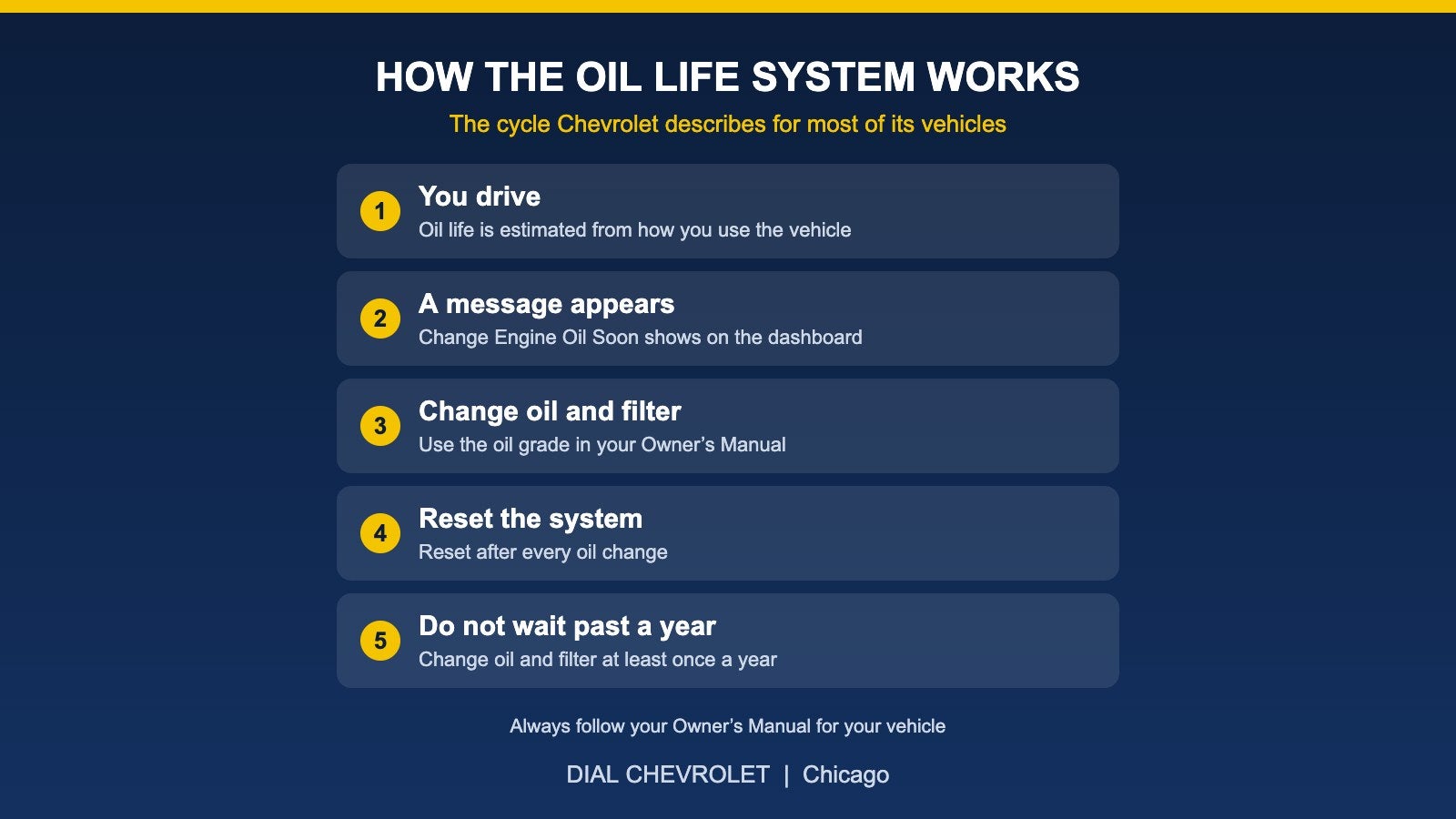
Five-step cycle of the Chevrolet Engine Oil Life System: you drive, a message appears, change oil and filter, reset the system and do not wait past a year

Chevy Oil Change: How Often, and What the Oil Life Monitor Means

Short answer: Chevrolet says most of its vehicles have an Engine Oil Life System that tells you when to change the oil, so the old rule of changing it every 3,000 miles does not apply to many newer vehicles. You should still change the oil and filter at least once a year, and you need to reset the system after every oil change. Always check your Owner’s Manual for the details that apply to your exact vehicle. What the Oil Life System Does Chevrolet describes the Engine Oil Life System as a feature on most of its vehicles. Instead of counting only miles, the system estimates how long your oil will last based on how you use your vehicle. When it is time, a “Change Engine Oil Soon” message appears on your dashboard. When you see it, have the oil and filter changed as soon as you can. Why 3,000 Miles Is Not the Rule for Every Chevy Chevrolet says many older vehicles, including those built before the Oil Life System existed, needed oil changes at 3,000-mile intervals, while newer models can go much longer between changes thanks to advances in engine technology. Your Owner’s Manual gives the interval for your specific vehicle, so treat it as the source of truth. Reset the System After Every Oil Change The system can only track the new oil if it is reset when the oil is changed. If you recently had your oil changed and the message is still showing, the system may not have been reset. Your Owner’s Manual explains how to reset it on your vehicle, and the shop doing your oil change can do it for you. Do Not Skip the Yearly Change Even if you drive gently and the system does not call for service, Chevrolet says the engine oil and filter must be changed at least once a year. Short trips, long periods of parking and Chicago winters can all affect how your vehicle is used, so do not rely on the calendar alone, and do not ignore it either. Check the Oil Level, Too Chevrolet advises checking your engine oil level regularly, even if your vehicle has the Oil Life System. For an accurate reading, the engine should be off and the vehicle on level ground. Your Owner’s Manual explains how to check the level on your vehicle. If you ever see an “Oil Pressure Low/Stop Engine” type of warning, follow the instructions in your Owner’s Manual and contact a service expert. Use the Right Oil The correct oil grade depends on your engine. Check your Owner’s Manual or ask a service advisor so you use the grade your vehicle calls for. Quick Checklist Watch for the “Change Engine Oil Soon” message and act on it promptly. Change the oil and filter at least once a year. Reset the Oil Life System after every oil change. Check the oil level regularly. Use the oil grade listed in your Owner’s Manual. Heading into colder weather? See our Chicago winter prep checklist for your Chevy. Schedule Service With Dial Chevrolet You can schedule an appointment online, browse current service and parts specials on our site, order parts, or contact the Dial Chevrolet team with questions. If it is time to think about a different vehicle, you can also get a trade-in estimate or browse new inventory. Sources Chevrolet Certified Service: Oil Change and Engine Oil Life System Chevrolet Support: Engine Oil Published by Dial Chevrolet, 6603 S Western Ave, Chicago, IL. This guide is general information based on Chevrolet’s published guidance and is not a substitute for your Owner’s Manual. This guide does not list prices or offers.
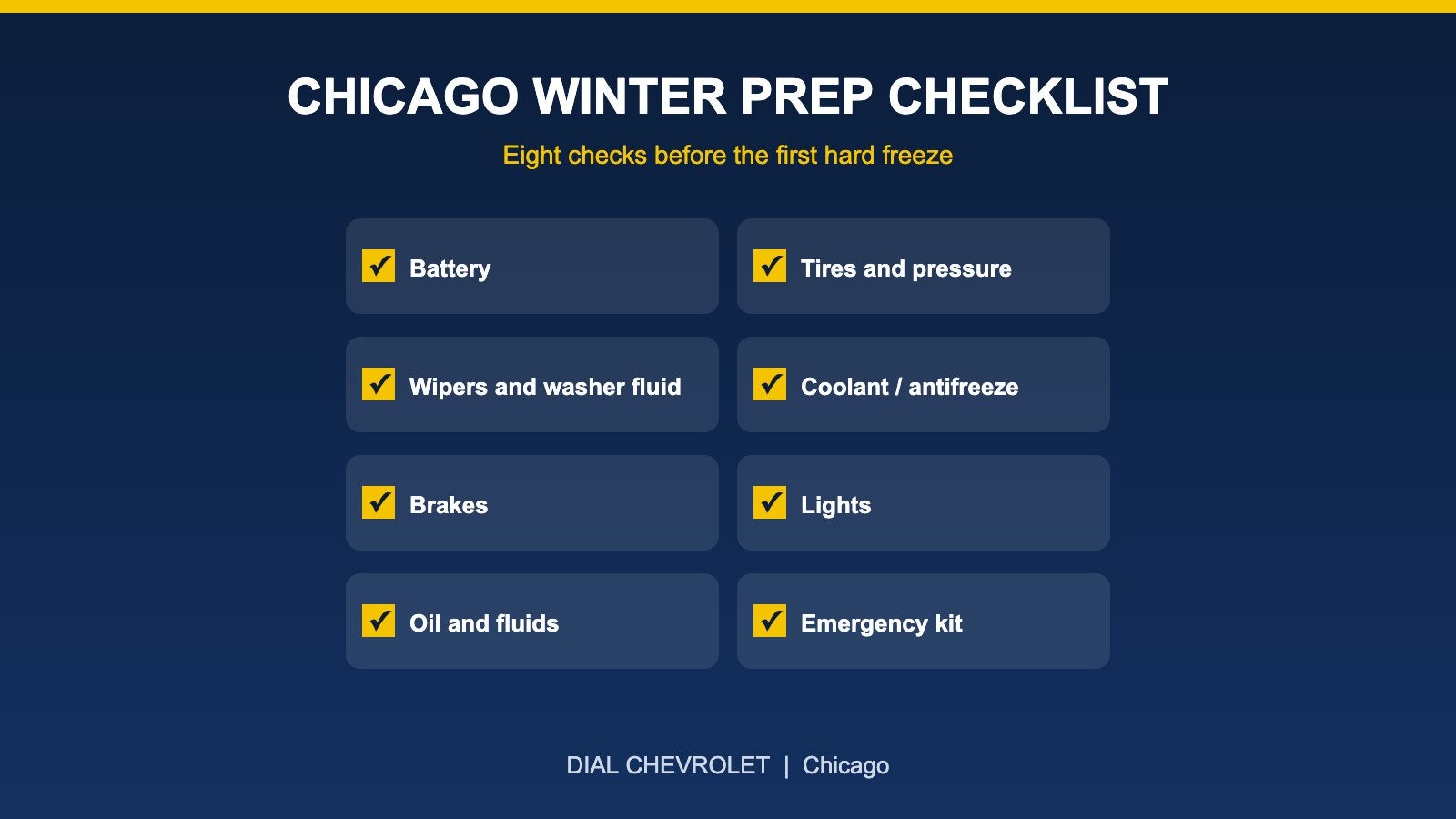
Eight-item Chicago winter prep checklist for a Chevy: battery, tires, wipers, coolant, brakes, lights, fluids and emergency kit

Getting Your Chevy Ready for a Chicago Winter: A Practical Checklist

Short answer: the best time to get your Chevy ready for winter is before the first hard freeze, and most of the work comes down to eight checks: battery, tires, wipers and washer fluid, coolant, brakes, lights, oil and other fluids, and an emergency kit. Chicago winters combine deep cold, road salt, snow and potholes, so small problems that go unnoticed in October tend to show up as no-starts and slick-road surprises in January. This checklist explains what to look at, what to ask your service department about, and what you can do yourself in a few minutes. 1. Battery Cold weather reduces what a battery can deliver at the same moment the engine needs more power to start. Slow cranking, dimming lights at idle and a battery that is several years old are all reasons to have it tested before winter, not after a morning when the truck will not start. Ask your service department to test the battery and charging system. 2. Tires and Tire Pressure Pressure. Tire pressure drops as temperatures fall, so check it regularly. Use the pressure listed on the label in the driver’s door frame or in your owner’s manual, not the number printed on the tire sidewall. Tread. Worn tread loses grip on snow and slush. If the tread is low, replace tires before the weather turns. Tire type. If you drive in deep snow often, ask about winter or all-weather tire options for your vehicle. 3. Wipers and Washer Fluid Streaky or cracked wiper blades are hard to see through in slush and road spray. Replace worn blades and fill the reservoir with washer fluid rated for freezing temperatures. 4. Coolant Coolant protects the engine from freezing as well as overheating. Your owner’s manual lists the correct type and service interval, and a technician can check the condition and freeze protection of what is in your system. 5. Brakes Snow, slush and road salt are hard on brakes. Pulsing, grinding, squealing or a longer stopping distance are signs to have them inspected before you rely on them in bad weather. 6. Lights Winter means more driving in the dark. Check headlights, tail lights, brake lights and turn signals, and keep the lenses clean of road film and snow. 7. Oil and Other Fluids Follow the oil change schedule in your owner’s manual and the oil life monitor if your Chevy has one. Cold starts are harder on an engine that is overdue for service. This is also a good time to confirm that other fluids are at the right level. 8. Emergency Kit Jumper cables or a portable jump starter Ice scraper and snow brush Flashlight with fresh batteries Warm blanket, gloves and a hat Small shovel Phone charger Something for traction, such as sand or cat litter Protecting Against Road Salt Road salt can speed up corrosion on the underbody, brake lines and other metal parts. Washing your vehicle regularly during the winter, including the underside, helps remove salt buildup. Ask your service department about inspecting for early signs of corrosion. A Few Habits That Help All Winter Keep the fuel tank reasonably full. Allow extra following distance on snow and ice. Check tire pressure after big temperature swings. Watch for warning lights and do not ignore them. Schedule Winter Service If you would like a technician to look over your Chevy before the cold hits, you can schedule service online. You can also see the dealership’s current service and parts specials, order parts, or contact the Dial Chevrolet team with questions. If you tow a trailer, our guide to Silverado payload explains how to check your load before you head out. Published by Dial Chevrolet, 6603 S Western Ave, Chicago, IL. This is general guidance. For your vehicle’s exact service intervals and fluid specifications, check your owner’s manual.

Contact Us

Fill out this form below and we'll contact you shortly
*Required Fields